If you want full control over how you analyze money, Google Sheets with raw bank data often beats a budgeting app’s fixed categories and dashboards. Apps are built for speed and habit formation, but they summarize before you inspect the rows. A spreadsheet carries your own numbers, so you can model burn rate, subscriptions, and scenarios without a one-size interface. The tradeoff is setup and maintenance. Guided workflows beat sheets when you want alerts and automation with minimal thinking. When the goal is clarity, portability, and analysis that matches how you think, raw data wins. This Google Sheets vs budgeting apps comparison explains what raw data means in practice, where apps still help, and how to choose.
Quick Answer
Choose Google Sheets with raw transaction data if you already think in spreadsheets, want to join data across accounts, build custom charts, or export numbers to another tool without asking a vendor for permission. Choose a dedicated budgeting app if you want a guided envelope or zero-based workflow, bill reminders, and a mobile-first experience that hides complexity on purpose.
What Is Google Sheets (in This Context)
Google Sheets is a spreadsheet environment where raw data means line-level transactions, dates, merchants, and amounts living in cells you can sort, filter, and pivot. It works by treating your finances as a dataset you own, not a story an interface prewrites for you. The key difference is that you see the underlying rows before any category label or “insights” card shapes your opinion.
What Is a Budgeting App (in This Context)
A budgeting app is software that ingests accounts, assigns categories, and surfaces budgets, goals, and summaries. It works by trading maximum flexibility for a packaged workflow: you get speed and guardrails, but less freedom to redefine fields or merge external data. The key difference is optimization for habit and simplicity, not open-ended analysis.
Key Differences
Data shape. Sheets store granular rows you can re-label or split. Apps often collapse detail into category rollups and may limit exports or historical depth.
Control vs. convenience. Sheets reward people who will maintain formulas and layouts. Apps reward people who want the product to decide what “good” looks like each month.
Portability. Data in your Sheet can feed other models or share with a partner on your terms. Data inside an app stays in that ecosystem unless you export, and exports are rarely as clean as live sync.
Time cost. Sheets need upfront design and occasional cleanup. Apps need less setup but can force recurring work when categories never quite match real life.
Side-by-Side Comparison
| Approach | Pros | Cons | Best For |
|---|---|---|---|
| Google Sheets with raw bank data | Full control, custom logic, easy sharing | You maintain structure and formulas | Power users who want their own views |
| Mainstream budgeting app | Fast setup, mobile habits, built-in rules | Less flexible analysis, vendor-defined views | People who want guided budgeting |
| Manual CSV into Sheets | No new tools, familiar files | Stale data, messy columns, export fatigue | Occasional deep dives, not ongoing ops |
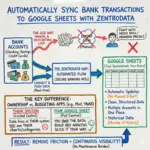
| Sheet plus automated bank sync | Current rows without manual exports | Requires trust in connection and mapping | Anyone who wants live data in a Sheet |
Which Should You Choose
Pick Google Sheets and raw data when category defaults frustrate you, when you want to track burn rate or subscriptions with your own definitions, or when you need to combine money data with tax, freelance, or household columns the app will never support.
Pick a budgeting app when your problem is consistency, not curiosity: you need reminders, simple targets, and a screen that tells you what to do today.
Pick automation into Sheets when you want spreadsheet freedom without the monthly CSV ritual. When you export by hand, the data is usually a few days old by the time you finish cleaning it, and the habit breaks. Research suggests people stick with systems that reduce friction between intent and action, which is why live feeds matter more than fancy charts.
FAQs
Q: Isn’t raw data harder than letting an app categorize everything?
A: It can be at first, because you design the structure. Once categories match how you think, maintenance drops. The payoff is that totals stop lying by averaging away important detail.
Q: What counts as “raw” if my bank already labels merchants?
A: Raw means row-level transactions in your Sheet, even if the bank supplies a merchant name. You still control rollups, tags, and splits. The app version of “raw” is often a black box until you export.
Q: Are budgeting apps inaccurate?
A: They can be directionally right and still wrong for your decisions. When rules miscategorize subscriptions or split charges, your dashboard looks fine while the truth drifts. Sheets force you to reconcile that tension visibly.
Q: When is a budgeting app the better tool?
A: When you want behavioral guardrails, shared household budgets with minimal training, or you truly do not want to touch formulas. Experts generally agree that the best system is the one you will actually use weekly.
Q: Do I need to be an Excel wizard to use Google Sheets for money?
A: No. Basic sorts, filters, and SUMIFS cover a lot. You can grow into pivot tables and charts when the simple view stops being enough.
Q: What is the main risk of using only a spreadsheet?
A: Stale data if you rely on manual entry or old exports. Data shows that outdated rows create false confidence. Automation fixes the freshness problem without turning you back into a full-time data janitor.
Q: Can I combine both: app for habits, Sheet for analysis?
A: Yes, if you accept duplicate maintenance or occasional exports. Many people outgrow that split and move analysis to the place they can script and customize.
For people who need live bank data inside a spreadsheet without manual exports, tools like automatic bank-to-Sheets sync can keep balances and transactions current by updating the feed for you. If you’re looking to build custom dashboards and see where your money actually goes, www.zentrodata.com pulls your real bank data directly into Google Sheets so you always have an accurate, up-to-date picture without the manual work.