Finding forgotten subscriptions requires pulling your complete transaction history across every bank account and credit card you own, scanning for any charge that repeats at a consistent amount on a monthly or annual interval, and cross-referencing those charges against services you actually remember signing up for. The gap between what you find and what you remember is the money you are losing. For most people who run this audit for the first time, that gap is larger than expected, often between $100 and $300 per month in charges that have been accumulating silently for months or years.
Subscriptions are designed to be invisible. Free trials convert to paid plans quietly. Annual renewals charge once and disappear from memory until the following year. Services you signed up for during a specific life phase keep billing long after that phase ended. None of this is accidental. The business model depends on inertia, and inertia depends on you not looking closely at your transaction data.
This guide walks through how to find forgotten subscriptions with a complete one-time audit and, more importantly, how to set up an automatic detection system so no subscription can hide from you going forward.
Why Forgotten Subscriptions Are So Hard to Catch
Most people have a rough mental model of what they pay for every month. The problem is that the mental model is built on services they actively use and consciously chose, not on the full universe of charges hitting their accounts. The services most likely to slip through are the ones that require no ongoing engagement: cloud storage that auto-renews, software licenses from a previous job search, media services tied to an old email address, fitness apps from a resolution three years ago.
The average American household carries more active subscriptions than they think they do. Research from consumer finance studies consistently puts the number of subscriptions people underestimate at somewhere between four and eight, representing meaningful monthly outflow that never appears in any budget because the person creating the budget did not know to include it.
The second problem is account fragmentation. Subscriptions spread across multiple payment methods: a personal credit card, a business card, a PayPal account, a checking account with autopay enabled. No single view of any one account shows the full picture. A subscription audit that only covers your primary checking account misses everything charged to a card you rarely check, which is often exactly where the forgotten ones live.
How to Find Forgotten Subscriptions: The One-Time Audit
Step 1: Pull Every Account Into One Place
The audit only works if it covers every payment method you own. Make a list before you start: every checking account, every savings account with autopay enabled, every credit card, every PayPal or digital wallet. An audit that misses one credit card misses every subscription charged to it.
For each account, you need at least 13 months of transaction history. Thirteen months catches annual subscriptions that renew once per year. Twelve months is not enough because a charge that hit in month one of your review window renews outside it. Thirteen months closes that gap.
Step 2: Look for the Pattern, Not the Name
Forgotten subscriptions hide behind merchant names that do not match the service name you remember. A charge from “ADOBE SYSTEMS” is Creative Cloud. A charge from “AMZN MKTP” might be an Amazon Prime renewal or an Amazon subscription box. A charge from “APPLE.COM/BILL” could be iCloud storage, Apple TV Plus, Apple Music, or any combination of them.
Do not scan for service names. Scan for the pattern: same merchant, similar amount, appearing on a monthly or near-monthly basis. Amount variation of up to 15 percent between charges still qualifies as a subscription, accounting for currency fluctuation, tax variation, and minor plan adjustments.
Annual charges follow the same logic but appear once in your 13-month window. A single charge from an unfamiliar merchant at an amount that could be an annual plan deserves investigation before it is dismissed.
Step 3: Build a Subscription Ledger
As you identify recurring charges, write them down: merchant name, amount, frequency, which account it hits, and whether you recognize and want the service. Three columns is enough: Keep, Cancel, and Investigate.
Keep is for services you actively use and consciously choose to pay for. Cancel is for services you do not recognize or no longer want. Investigate is for charges you cannot immediately identify. Do not skip the Investigate column. An unidentified $7.99 charge that has been hitting your account for 18 months is $143.82 you cannot explain, and that number grows every month you leave it uncategorized.
Step 4: Cancel What You Do Not Want
For each item in your Cancel column, cancellation is the next step. Most subscription services allow cancellation through their website account settings. For services that make cancellation difficult or that you cannot access because you no longer remember the login credentials, the Consumer Financial Protection Bureau outlines your rights and options for stopping recurring charges at consumerfinance.gov. In cases where you cannot reach the service directly, your bank can block future charges from a specific merchant.
Step 5: Verify Cancellations Actually Processed
Canceling a subscription does not always stop the charge immediately. Some services continue billing through the end of a paid period. Others have cancellation processes that require additional confirmation steps most people miss. After canceling, check your accounts in the following two billing cycles to confirm the charge stopped. A cancellation that did not process is invisible until you look for it.
Why the One-Time Audit Is Not Enough
Running a subscription audit once is valuable. Running it once and considering the problem solved is a mistake. New subscriptions accumulate. Free trials convert. Services you already use introduce new tiers or add-ons that auto-enroll existing customers. The subscription landscape of your financial life six months from now will not be identical to the one you audited today.
The one-time audit answers the question of what is happening right now. The ongoing detection system answers the question of what changed since you last looked. Without the second piece, the audit becomes a periodic emergency rather than a permanent advantage.
How to Set Up Automatic Subscription Detection with ZentroData
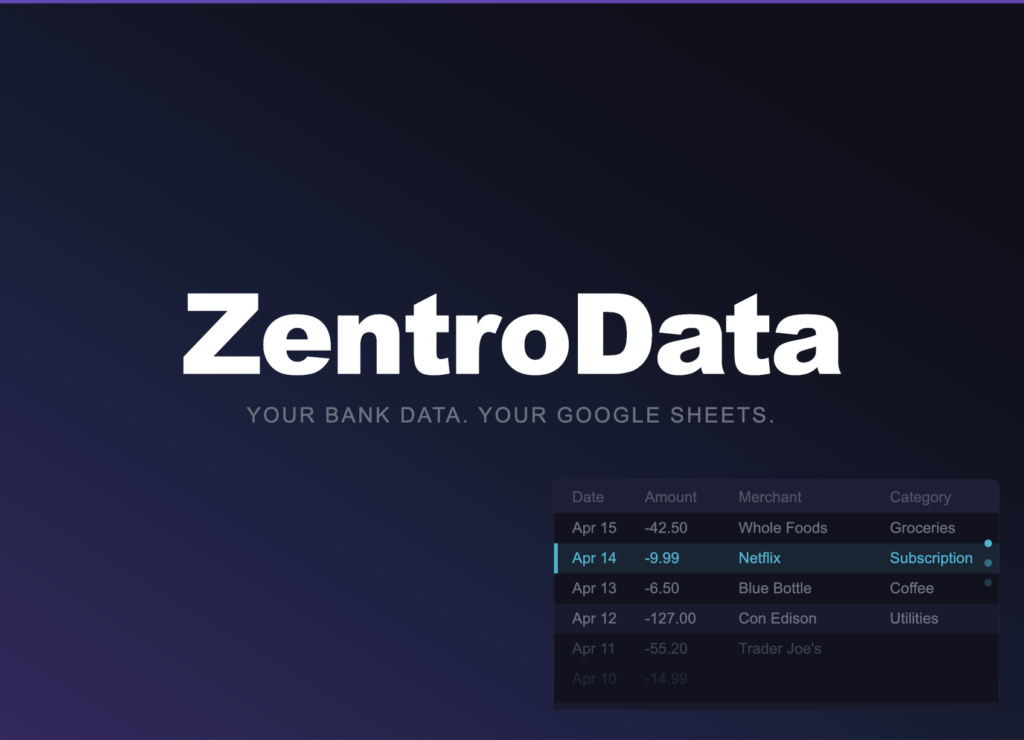
ZentroData is the tool that makes ongoing subscription detection automatic and permanent. It connects directly to your bank accounts and credit cards and syncs your complete transaction data into your own Google Sheets on a daily schedule. Every transaction lands as a clean, structured row. No CSV downloads. No manual cleanup. No merging files across accounts.
Within that automated data pipeline, ZentroData runs two layers of subscription detection that no other tool matches for users who want their data in a spreadsheet they control.
The first layer is known merchant matching. ZentroData maintains a curated list of more than 80 subscription services matched against the merchant and description fields of every incoming transaction. Streaming services, software subscriptions, fitness apps, news publications, VPN services, food delivery passes, gaming subscriptions, and more are all covered. When a transaction matches a known subscription merchant, it is flagged automatically in your sheet.
The second layer is recurrence pattern detection. For merchants not on the known list, ZentroData analyzes your transaction history for the recurring pattern: same merchant, similar amount within 15 percent, appearing on a roughly monthly interval of 25 to 35 days. If that pattern appears at least twice, the charge is flagged as a subscription. This layer catches the long tail of subscription services that no curated list can cover entirely, including niche software, regional services, and newer platforms.
Together, these two detection methods surface subscriptions that a manual scan would miss. The merchant name obfuscation problem that makes manual audits unreliable is solved because ZentroData is matching against raw transaction descriptions, not against service names you might not recognize.
In your Google Sheets, pulling the flagged subscriptions into a dedicated view requires a single formula:
=FILTER(A:F,D:D="Subscription")
Where column D is the Category column ZentroData writes. The result is a clean list of every flagged recurring charge across all your connected accounts, updated automatically every time a sync runs. A new subscription that appears this month is visible in this view by tomorrow morning without any manual work.
For the subscriptions ZentroData flags through pattern detection rather than known merchant matching, the merchant name and amount are visible in the row. Cross-reference unfamiliar merchants against your Investigate list from the initial audit. An unknown merchant that has been charging you monthly for six months and appears in your pattern-detected subscription list is almost certainly a forgotten or unauthorized charge worth investigating immediately.
What Your Subscription Data Reveals Over Time
The real power of automatic subscription detection is not the first month. It is month six, month twelve, month eighteen. Over time, the subscription view in your Google Sheet becomes a complete record of how your recurring financial commitments have evolved. Subscriptions you added. Subscriptions you canceled that stopped appearing. Price increases that pushed a charge above its previous amount. New services that crept in during a free trial period and stayed.
This longitudinal view is what no one-time audit can provide. A subscription that costs $12.99 per month today and $14.99 per month a year from now did not announce the increase. It just changed. ZentroData’s pattern detection catches the new amount and continues flagging the charge. Your spreadsheet shows both amounts in the history. You can see the increase, evaluate whether the service is still worth the new price, and make an informed decision rather than an accidental one.
The subscription tracker that ZentroData’s starter template provides is built on this principle. It is not a static list. It is a living view of your recurring financial commitments, updated automatically, showing you the full picture of what you are paying for and what each service is actually costing you over time.
Find Forgotten Subscriptions: Approaches Compared
| Approach | Coverage | Automation | Catches Annual Charges | Ongoing Detection |
|---|---|---|---|---|
| ZentroData + Google Sheets | All connected accounts | Full | Yes | Yes, automatic |
| Manual transaction scan | Accounts you remember to check | None | Only with 13-month window | No |
| Bank app spending summaries | One account only | Partial | Rarely | No |
| Subscription tracker apps | Credit cards only, usually | Partial | Sometimes | Yes, limited |
| Email inbox search | Purchase confirmations only | None | Yes | No |
ZentroData is the only approach in this comparison that delivers complete account coverage, full automation, annual charge detection, and ongoing automatic detection simultaneously. Every other method either covers a subset of your accounts, requires manual effort to maintain, or stops detecting new subscriptions the moment the initial audit is done.
Tips for Better Subscription Tracking
- Connect every payment method you own to ZentroData, not just your primary checking account. Forgotten subscriptions disproportionately live on cards you check less often. Full coverage requires full account connection.
- Review the subscription view in your Google Sheet on the first of every month as a standing calendar item. Five minutes of review monthly prevents the annual emergency audit that takes five hours.
- Pay attention to amount changes in recurring charges. A service that was $9.99 and is now $13.99 did not ask for your approval. ZentroData’s transaction history shows both amounts. The change is yours to evaluate.
- Check the pattern-detected subscriptions specifically. Known merchant matches are straightforward. Pattern-detected charges are the ones most likely to be genuinely forgotten or unrecognized, and therefore the ones most likely to be costing you money you did not intend to spend.
- Do not cancel and forget. After canceling a subscription, watch for the charge in the following two billing cycles. ZentroData’s daily sync means a failed cancellation shows up in your sheet quickly rather than going unnoticed until the next manual review.
- Look for subscriptions in unusual amount tiers. Annual plans charged monthly look different from monthly plans. A charge of $119.99 is likely an annual subscription billed as a lump sum. ZentroData’s known merchant matching covers the major annual subscriptions, but pattern detection will catch others as they recur year over year.
Frequently Asked Questions About Finding Forgotten Subscriptions
Q: How much money do most people recover from a subscription audit? A: The range varies significantly based on how long someone has gone without auditing their subscriptions and how many payment methods they use. Users who connect all their accounts to ZentroData and review the subscription view for the first time regularly find between $50 and $300 per month in charges they had not consciously accounted for. Annual subscriptions tend to produce the largest single surprises because a $200 yearly charge that hit once and was forgotten can be easy to rationalize or overlook in a manual scan.
Q: What is the difference between a forgotten subscription and an unauthorized charge? A: A forgotten subscription is a service you agreed to pay for at some point and stopped actively thinking about. An unauthorized charge is a transaction you never agreed to. The audit process surfaces both. If a recurring charge does not correspond to any service you can connect to a past decision, treat it as potentially unauthorized and contact your bank or card issuer rather than attempting to cancel through the merchant directly.
Q: Why do subscriptions spread across so many different payment methods? A: Different subscriptions get added at different life stages, often charged to whichever card was most convenient at the time. A subscription added during a period when you used a specific card for travel rewards lands on that card. A subscription tied to a work benefit might charge a personal card that was on file from before the benefit started. ZentroData’s multi-account sync is specifically valuable here because it surfaces the complete picture rather than the partial view any single account provides.
Q: How does ZentroData detect subscriptions I signed up for years ago? A: ZentroData pulls up to 90 days of transaction history on the first sync and then maintains a continuous record going forward. For subscriptions that predate the initial sync window, the recurrence pattern detection identifies them as soon as they appear twice in the transaction history: once in the initial pull and once in a subsequent sync. Annual subscriptions that fall outside the 90-day window appear at their next renewal date and are flagged at that point.
Q: What should I do if I find a subscription I cannot cancel? A: Some subscription services make cancellation deliberately difficult. If you cannot cancel through the service’s website or reach the company directly, the Consumer Financial Protection Bureau outlines your rights for stopping recurring bank account charges and your options for disputing unauthorized charges at consumerfinance.gov/ask-cfpb/how-do-i-stop-automatic-payments-from-my-bank-account-en-2023. Your bank or card issuer can also block future charges from a specific merchant as a last resort.
Q: How is automatic subscription detection different from what my bank app already does? A: Most bank apps surface a simplified view of recurring charges based on a single account and a limited merchant list. They typically show only the charges that match their own curated list and do not surface pattern-detected subscriptions from unknown merchants. They also only cover one institution’s accounts, not the complete picture across every card and bank account you use. ZentroData detects subscriptions across all connected accounts simultaneously, uses both merchant matching and pattern detection, and writes the flagged transactions into a Google Sheet you own where you can build any analysis you want on top of the data.
The Subscriptions You Do Not Know About Are the Ones Costing You the Most
A subscription you are aware of is a subscription you have evaluated. You know the price, you use the service, and the charge fits your understanding of your monthly spending. A subscription you forgot about is different in one important way: you have been paying for it without ever deciding it was worth paying for. That is not a financial decision. It is a financial accident, and accidents compound.
The difference between a one-time audit and a permanent detection system is the difference between solving the problem once and solving it for good. Your subscription landscape will change. New charges will appear. Old ones will quietly increase. The only way to stay ahead of that is to have a system that watches all of it automatically, surfaces anything new, and keeps the complete picture current without requiring you to remember to look.